
Welcome to our August product updates blog, with a focus on lowering the barriers to speaking up and staying compliant, whatever language you think in.
The upgraded Rapid Contractor Management interface is now the default for everyone. We’ve also added seven more languages across the platform, opened anonymous reporting on QR code incident reports, and there’s a heads-up on the Rapid Induct mobile app.
Together, they mean fewer reasons for someone not to report and more visibility across new features.
More languages in Rapid
Language shouldn’t stand between a worker and managing workplace compliance and safety. Where your workforce is multilingual or spread across global regions with different first languages, that can become increasingly more difficult.
Following the recent rollout of multi-language support across select products, we’re expanding coverage with seven additional languages: Simplified Chinese (Mainland China), Traditional Chinese (Taiwan, Hong Kong), Malay, Indonesian, Vietnamese, Japanese and Korean.
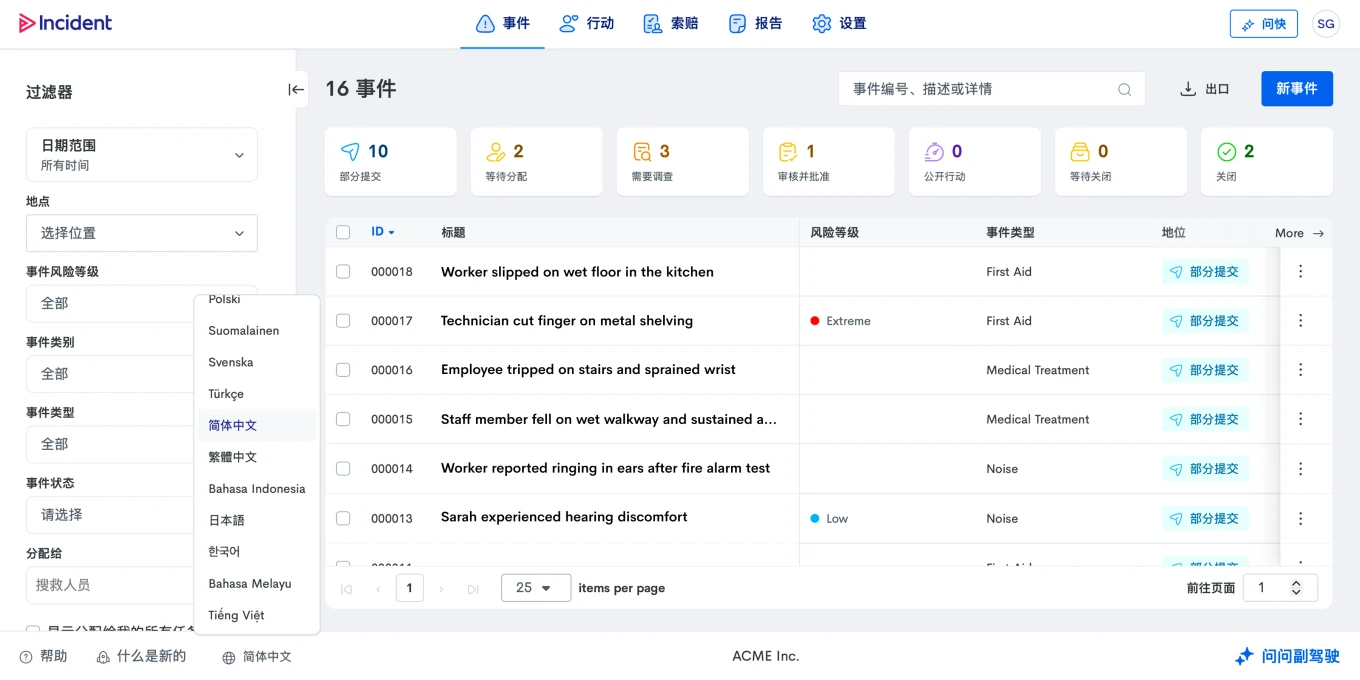
As always, you will find the language selector in the footer, right next to our “What’s New” link. If there’s a language your workforce needs that isn’t listed yet, let us know as we will continue to expand coverage based on customer demand.
The upgraded Rapid Contractor Management interface is live for everyone
The refreshed Rapid Contractor Management interface has now launched for everyone, loading automatically when you log in.
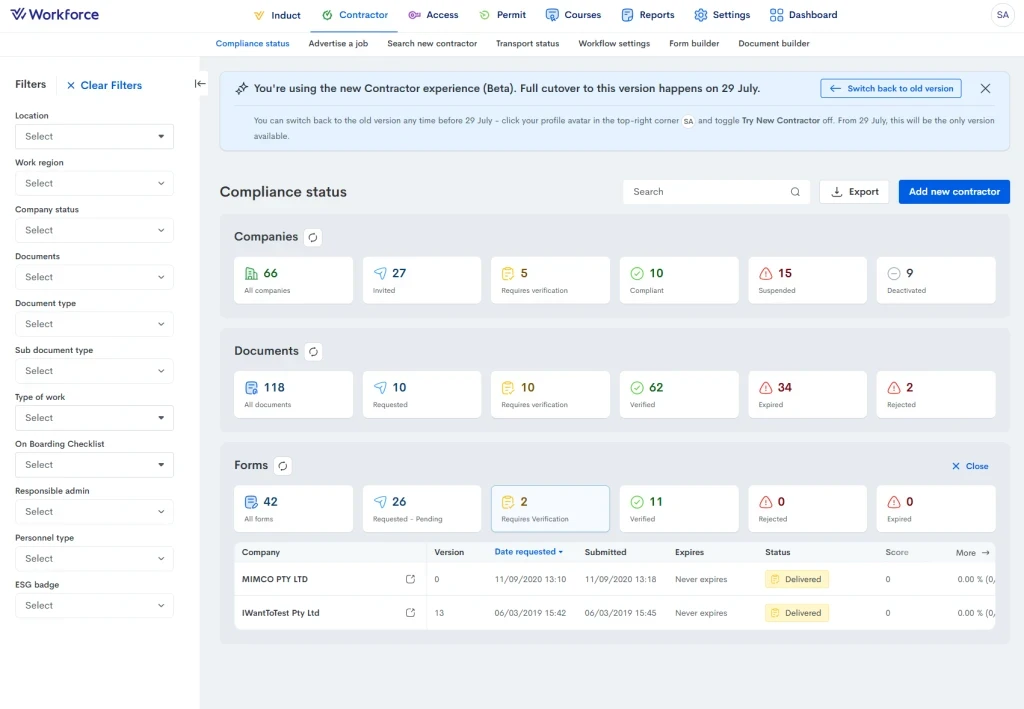
It’s the same platform underneath, with your workflows, rules, approvals and configurations untouched and the same data and logic sitting behind them. What has changed is the interface, which is now cleaner, easier to move around and consistent with the updated Rapid Induct and Rapid Incident Reporting, making moving between products even more seamless. The changes are on the administrator side only, with no changes to what your contractors see.
Read the full announcement here, or learn more about Rapid Contractor Management.
What’s New widget in Rapid Aware and Rapid Incident Reporting
Keeping up with product updates shouldn’t mean digging through emails or having to ask around. That’s why every new feature we ship now shows up in the What’s New widget in the footer, right inside our web applications.
From today onwards, Rapid Incident Reporting and our Rapid Aware system go one step further: every release cycle, the widget will feature entries for all features released relevant to the product in question. Each entry will give you a quick summary of what’s new and why it matters, with a link to the full write-up on our blog where we go into further detail.
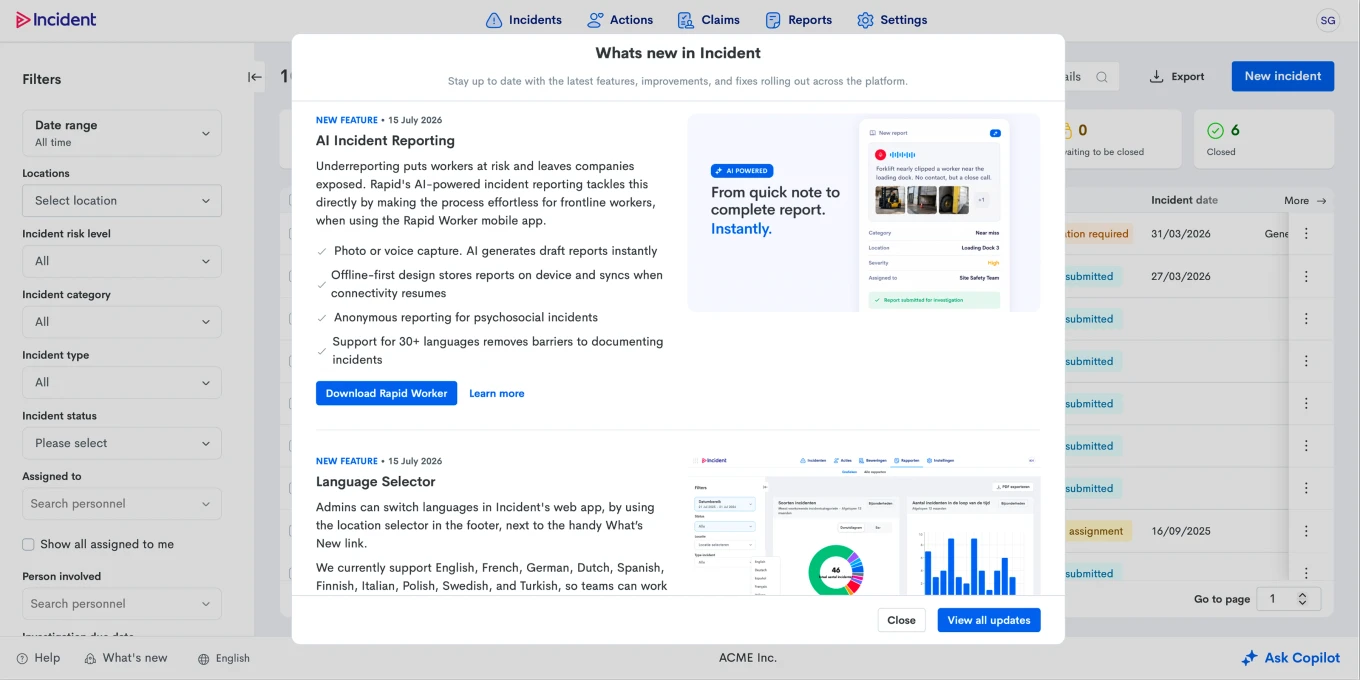
Whether you are after the headline or the full story, everything new in Rapid is right there where you need it.
Multi-language AI incident reports
Speaking up about a safety incident is hard enough, without having to do so in a second language. AI Simple Report in the Rapid Worker app now takes voice input across a wide range of languages, so workers can report in the language they think in, not just the one they’re expected to type in.
To use it, workers simply select their preferred language under Voice Input setting, then speak their report as usual. The AI transcribes and generates a complete draft in English, ready for review before submission.
We’d love your feedback on this feature and the Rapid Worker mobile app: you can share it anytime via Account > Feedback & Suggestions.
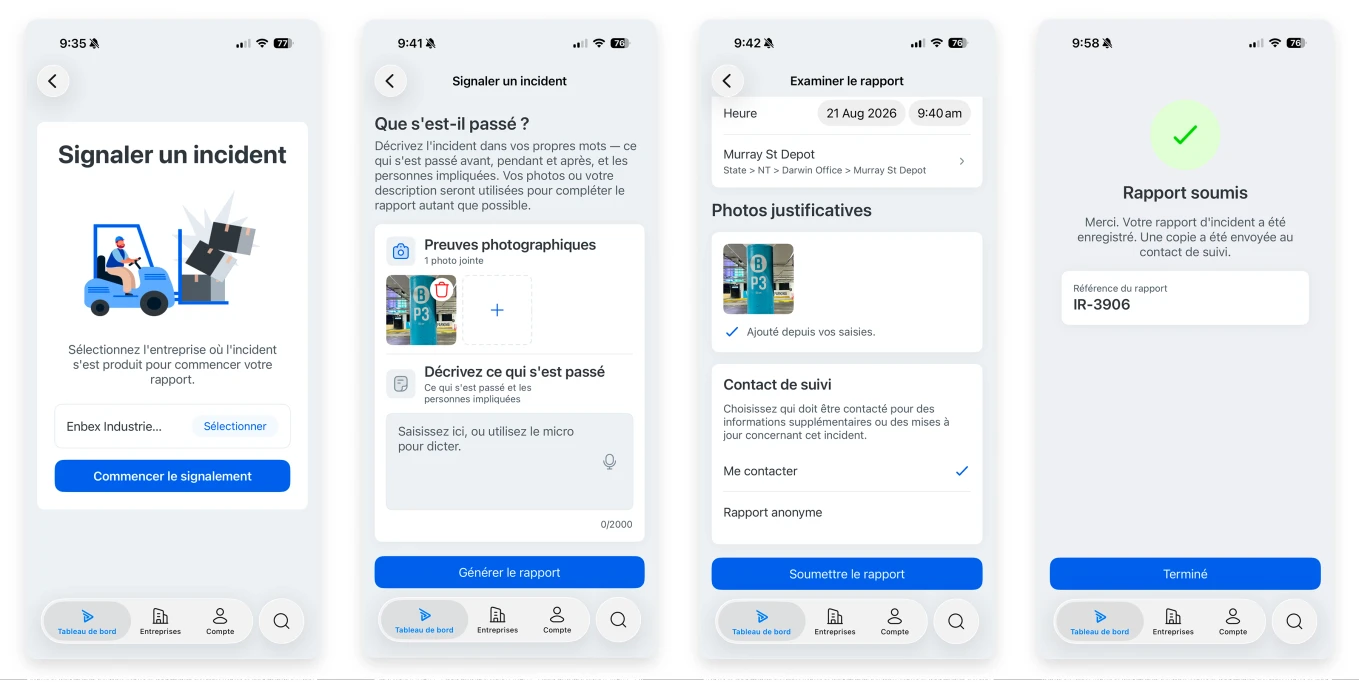
Get the Rapid Worker app today:
Mobile app experience modernisation
Taking the next step in our modernisation journey we started two years ago, we’re streamlining our mobile app experience with the continuation of our transition away from the Rapid Induct mobile app, in favour of the Rapid Worker app.
Rapid Worker has now reached feature parity with Rapid Induct. Courses, documents, forms and compliance tracking all work the same way you’re used to, built on a faster, more modern foundation, and going a step further by bringing in AI-driven Incident Reporting and drafts into the same app, so more of your frontline day-to-day fits in the one place.
You will start to notice this transition in Rapid Induct itself, with the app icon turning grey and a dismissible dialogue appearing on login, pointing toward Rapid Worker.
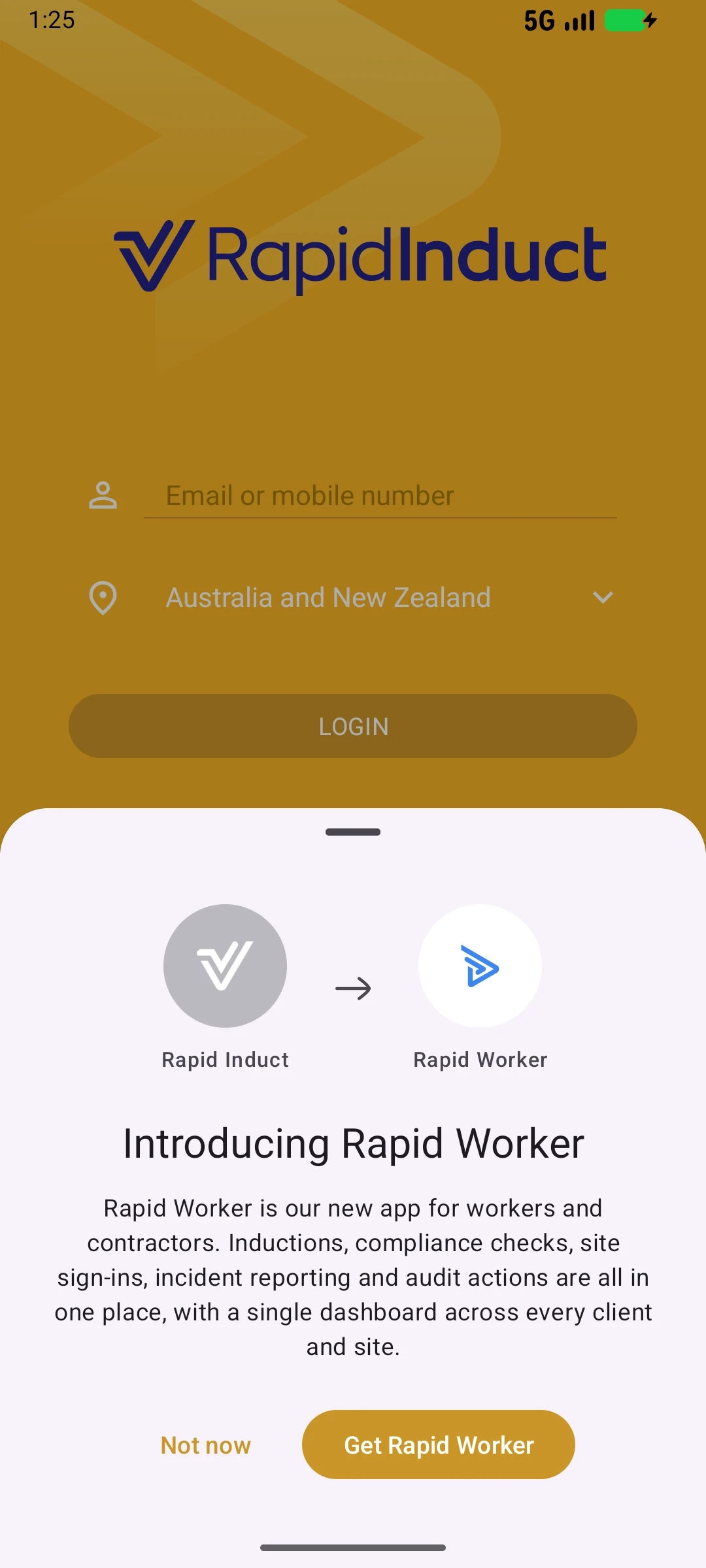
Currently, there is no set date for the full decommissioning of the Rapid Induct mobile app. This is simply a heads-up as we begin to encourage you to switch to the new app. In the meantime, we’d love you to try Rapid Worker, and give us your feedback in the app via Account > Feedback & Suggestions.
Your input will help shape the app as we go!
QR code incident reports: anonymous reporting and email copy
QR code incident reports are one of the most accessible ways for your frontline to raise a report. Printed, laminated and posted anywhere, they allow anyone to report an incident without needing an account. That makes them especially valuable for capturing input from visitors, passersby and anyone outside of your typical system users.
This month, QR-code initiated reports catch up to two features already available in the Rapid Worker mobile app: the ability for your frontline to report anonymously, and the option for them to email themselves a copy of the report. Since QR-code reporters cannot login to view submissions later, this means they can keep a record for their own reference, giving them more confidence to report in the first place.
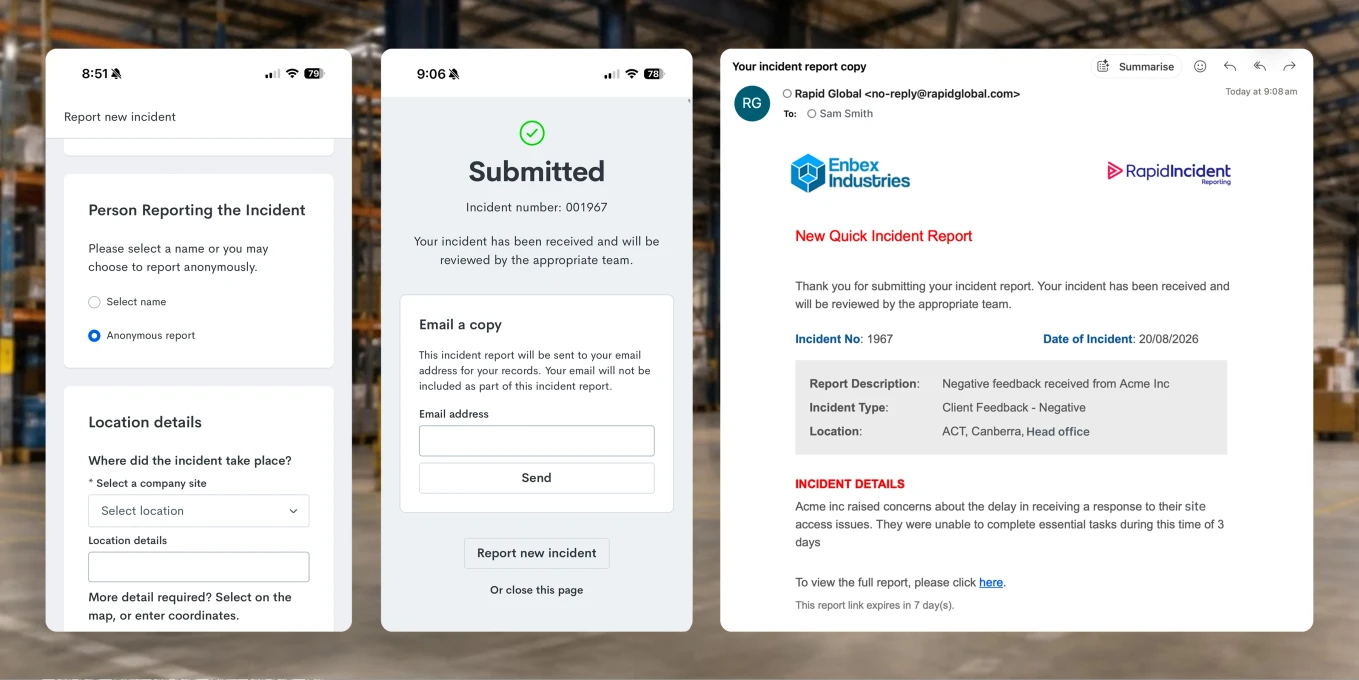
These features are an early step toward better supporting psychosocial hazard reporting, where anonymity can make the difference between something being reported, or staying silent. We will continue to build in this space over the coming months.
Learn more about Rapid Incident Reporting
Bug fixes and performance improvements
Behind the scenes, we have addressed various bugs and made performance improvements across all products.