September’s product updates start with a fresh look for Courses and the launch of our brand new RapidCheck SWMS Review feature.
Also covered in this release is the new Ask Rapid chat within Rapid Incident Reporting, AI-assisted incident reporting now available for QR code reports, an update on the Rapid Worker app transition, and plenty more to save you time: whether you’re building courses, reviewing documents or getting on top of incidents.
Courses gets a refresh and importing your PowerPoint or PDF just got easier
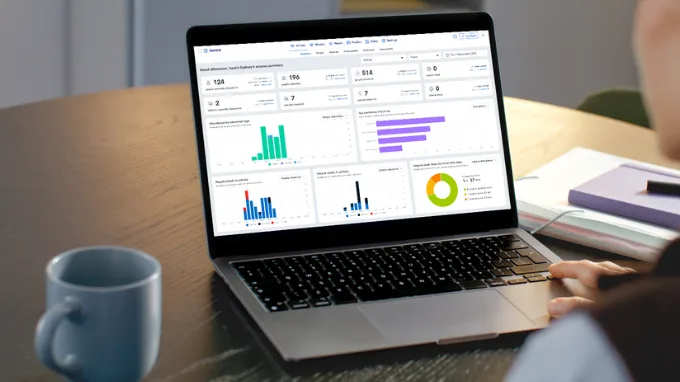
Courses is the latest addition to our ongoing platform refresh, joining Rapid Contractor Management, Rapid Induct and Rapid Incident Reporting with a cleaner, more consistent look and feel. Your course structure, content and settings all work the same, it’s just easier now to find your way around.
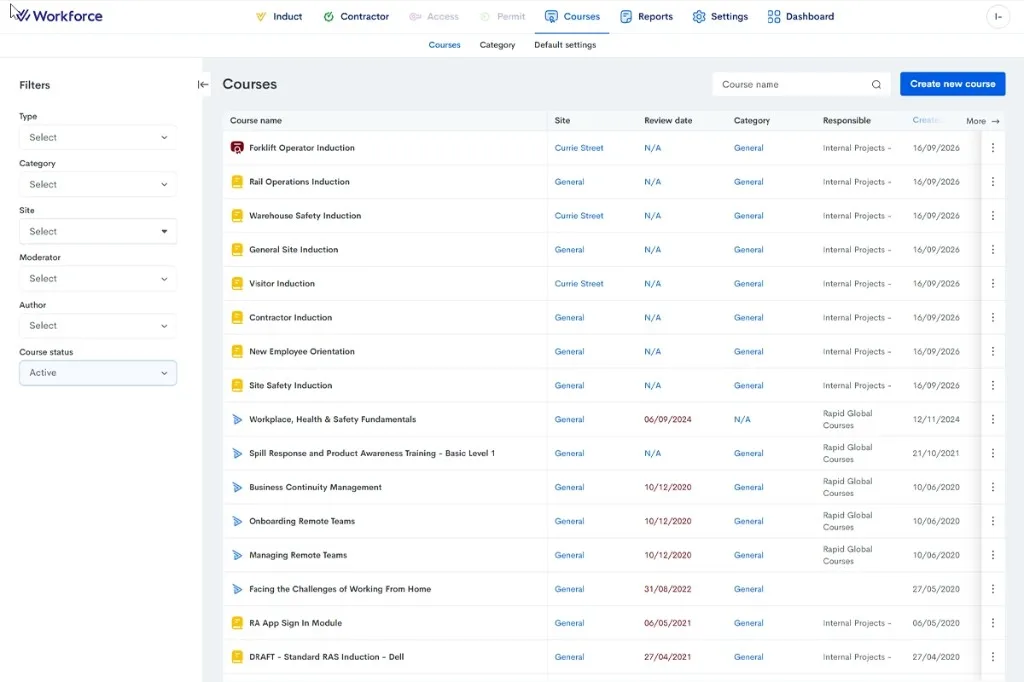
Alongside that, we have made a change to how PowerPoint and PDF imports into Courses work. Previously, imports came through as flat images: static and locked in place. Now, your content comes in as editable text, so you can make updates directly inside Rapid whenever you need to.
If you’re wondering about the courses that you’ve already built, stay tuned. We are working on the ability to convert your existing courses imported from PowerPoints and PDFs into this new editable format too, so the update does not just apply to what you upload from hereon in.
That’s just the start. Over the coming months, keep your eyes out for a smarter, more flexible course editor, auto translations and AI-powered features that help you build, refine and deliver courses faster. We will keep introducing these updates as they land, so stay tuned.
Automatic SWMS review with RapidCheck
Safe Work Method Statements (SWMS) are one of the most critical and most time-consuming documents in any WHS compliance workflow. Reviewing every one that comes through the door is a grind and at a large site, or during peak project periods, the volume can easily become overwhelming.
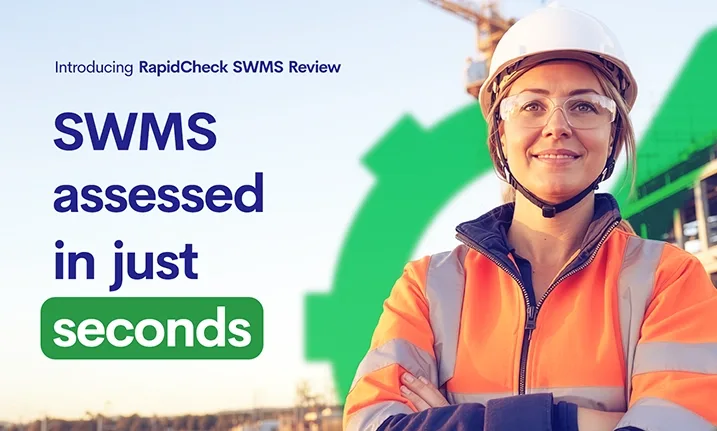
That’s why we’ve built RapidCheck SWMS Review, the latest capability added to RapidCheck. It automatically reads a submitted SWMS and checks it against a configurable checklist of mandatory and recommended items, then delivers a clear, evidence-backed result in just seconds.
Results appear directly in the platform, showing how many mandatory items passed, how many recommended items were found, and the justification for each finding. Rather than a bare pass or fail flag, you receive a transparent, auditable review that shows its reasoning. This means while RapidCheck does the reading, you still make the decisions.
If you’re already using RapidCheck for insurance or licence verification, SWMS review sits right alongside it. To enable it, speak with your Rapid Global representative today.
Discover RapidCheck SWMS Review
Ask Rapid now available in Rapid Incident Reporting
Ask Rapid, our new AI-powered chat feature, brings a conversational assistant directly into Rapid Incident Reporting making it easier for administrators to find answers, search records and surface what needs attention without needing to navigate filters, reports or the Support Centre.
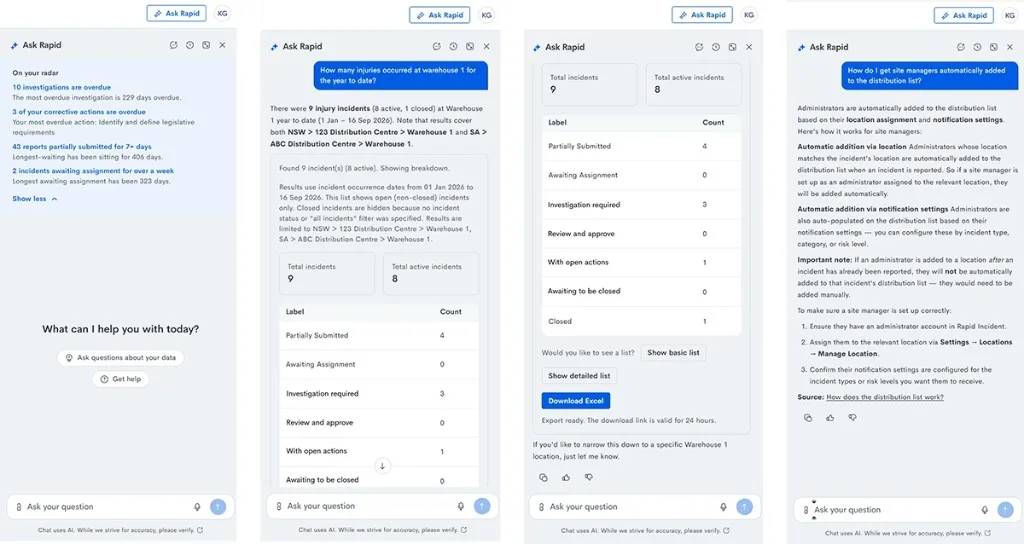
Admins can ask a question in plain language, covering incidents, investigations, corrective actions and more and get an instant answer instead of building complex filter combinations. For how-to questions, Ask Rapid draws on Rapid Global’s own knowledge base with an understanding of industry terminology and workflows and answers in whatever language the admin uses.
For more information on how Ask Rapid handles your data, visit our Trust Centre.
Keep Contractor job role selection relevant with restrictions by personnel type
When your contractor admins issue induction keys or add workers, scrolling through every role in your package, whether it applies to their trade or not, takes up valuable time and makes it easier to pick the wrong one.
You can now restrict which secondary roles are available based on a contractor’s primary personnel type. For example, if a contractor company is set up as a high-risk trade, you can limit the roles they see to high-risk roles only, rather than showing your full role list.
This keeps induction key issuing clean and accurate and helps to make sure the right induction courses and document requirements get triggered each time.
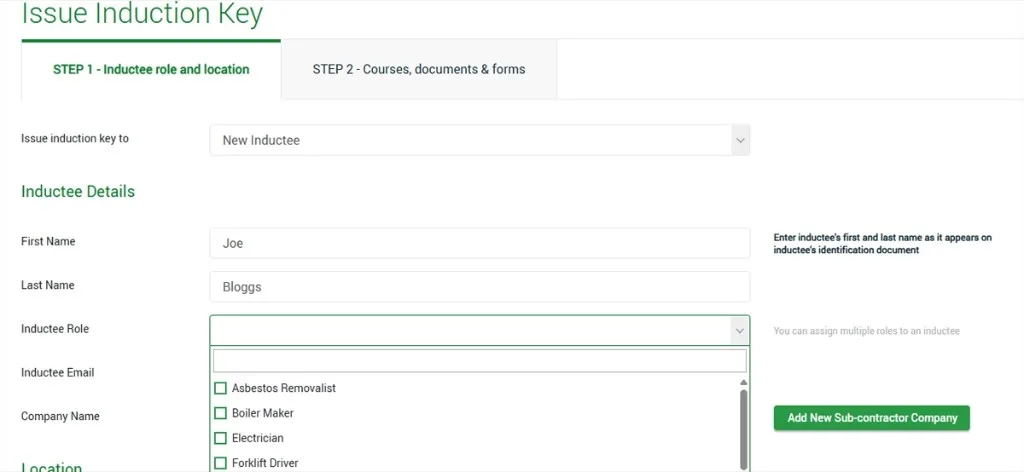
Roles stay visible to everyone by default, so nothing changes for your package until you ask for it. If you’d like this set up for your organisation, reach out to your Rapid Global representative today to discuss configuration options.
Learn more about Rapid Contractor Management
AI incident reporting now available when using QR codes
AI-assisted incident reports are no longer limited to the Rapid Worker app. The same capability to capture a photo or provide a brief spoken overview, and let AI draft a complete report, is now available when reporting via a QR code.
This form also captures more than the mobile version. Whether you have set it up as the Full Form, or a shorter Quick Report, it still supports more fields than mobile, including options like Risk Rating and you can configure exactly which fields appear in your settings.
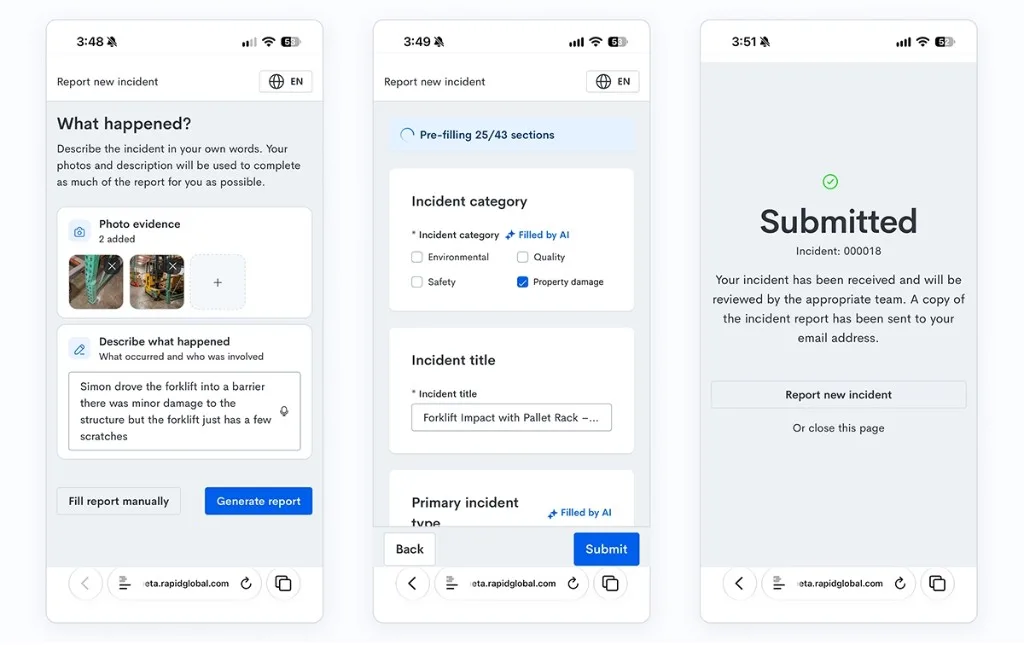
The setting is off by default, so you will need to switch it on within your Incident Reporting settings if you wish to enable it for your organisation. Your QR code poster can be downloaded from the same settings page; however there’s no need to reprint or replace any existing QR codes, posters or stickers as the same code will support AI-assisted reports as soon as it’s enabled.
There’s more than one way to reach it too, with the same form opening from the Report Incident button on the MyRapid login page (no login required) and from Rapid Access tablets on site.
Discover how organisations are mitigating risks with Rapid Incident Reporting
Compliance status in Worker User details
Within the Rapid suite, Workforce and Rapid Incident Reporting answer different questions. Workforce defines whether someone is compliant to work at the individual and contracting company levels (when relevant). Incident Reporting is where you find out what happened, and to whom.
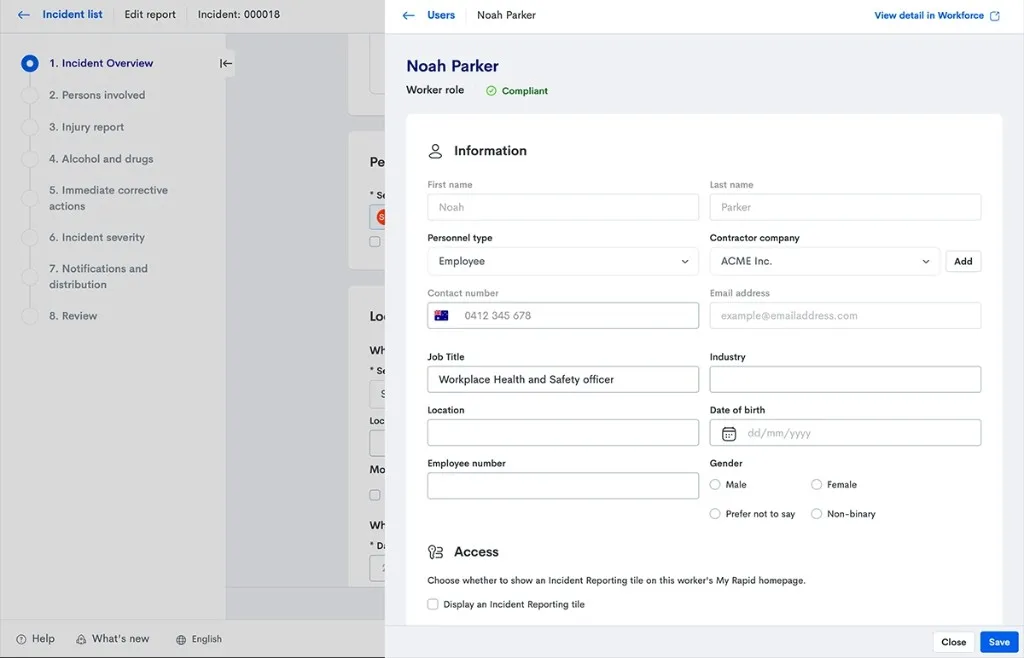
Until now, those two answers lived apart. Reviewing or investigating a report meant knowing who was involved, but checking whether they were compliant at the time meant leaving Incident Reporting altogether. Now, we have closed that gap, with every worker dialogue in Incident Reporting (for the person reporting, a witness, or an injured person) now shows their Compliance Status at a glance. One click takes you straight to their Workforce record, where you can review exactly what makes them compliant, or why they’re not.
A correction and a few updates for the Rapid Worker and Rapid Induct mobile apps
Last month, we announced the Rapid Induct app icon would turn grey as part of the transition to Rapid Worker. We have heard your feedback, with a lot of you knowing it as the “Yellow app” and losing the yellow caused more confusion than clarity. With this in mind, we have reverted the app icon for Rapid Induct back to its original colour and apologise for any inconvenience.
We do have a few more updates worth sharing as well for our mobile apps:
- We are building support for scanning Worker Rapid ID QR codes at VAS terminals and bringing Asset and Item functionality into Rapid Worker to achieve full feature parity with the Rapid Induct mobile app.
- Rapid Worker is built for workers, not admins. If you are an admin who has found some Rapid Induct admin tasks missing from Rapid Worker, that is why. Consider using the Rapid Admin mobile app instead for admin tasks (otherwise known as “the Blue app”).
- There is still no set date for decommissioning the Rapid Induct mobile app. If you, or your users, run into any issues with Rapid Worker and the transition, our support knowledge base is there to help and feedback can be shared directly from the app (via Account > Feedback & Suggestions).
If you haven’t already, try the Rapid Admin and Rapid Worker apps today.
Rapid Worker:


Rapid Admin:
Bug fixes and improvements
We have also shipped a handful of smaller updates across Rapid Contractor Management and Rapid Induct this month:
- A worker row has been added to the updated Rapid Contractor Management dashboard, meaning you can now see worker activity at a glance.
- You can now create new trainees without needing to assign a course upfront, handy for when you want to get someone into the system before deciding on their training.
- Secondary sites now appear in the Rapid Contractor Management report, giving you full visibility across every site a contractor is linked to.
- The Unique Contractor ID is now displayed on the contractor details page, making it easier to reference the right contractor when raising a query with our team.
- A range of smaller interface improvements to filtering, displays and navigation across the updated Rapid Contractor Management and the Rapid Induct screens.