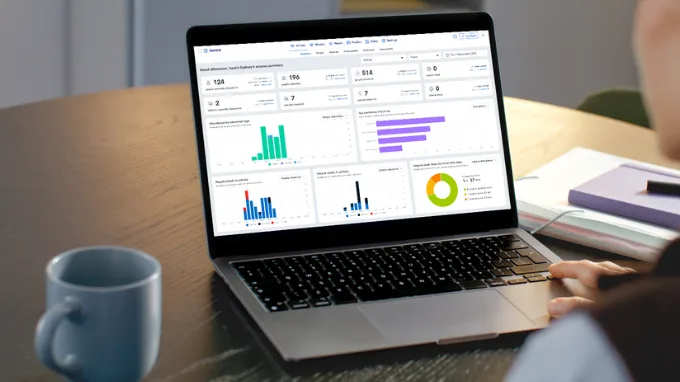
As October draws to a close, there’s nothing spooky about our latest round of releases.
This period, we’ve conjured up some treats: automating hazard detection through Rapid Incident & Monitor, enhancing Rapid Permit To Work, introducing Overdue Course Status tracking, and implementing various system improvements.
No tricks here — just features designed to make safety management more efficient.
Rapid Incident & Monitor integration
One of the key promises of technology is the shift from reactive registers to proactive detection and automation. Our customers consistently confirm this need: many incidents go unreported and issues remain undetected. Every improvement in this area makes a difference.
That’s why we’re excited to announce our first step toward automating hazard detection using computer vision: Rapid Monitor users can now create Incidents from failed Safety Checks, such as forklift near-miss events, missing PPE, and fall detection.
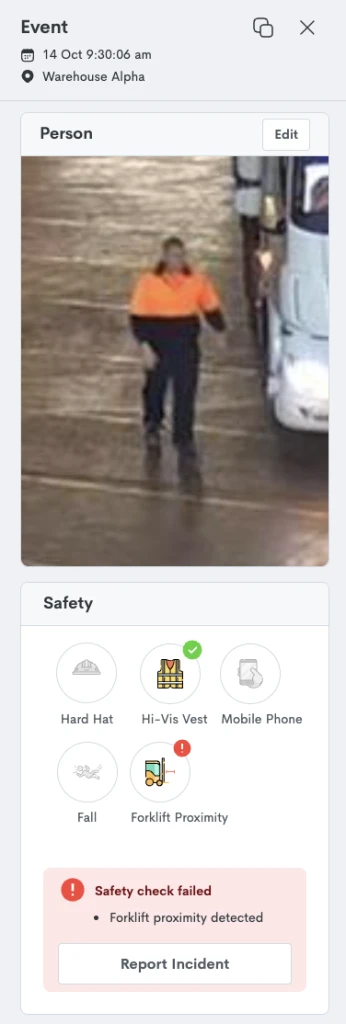
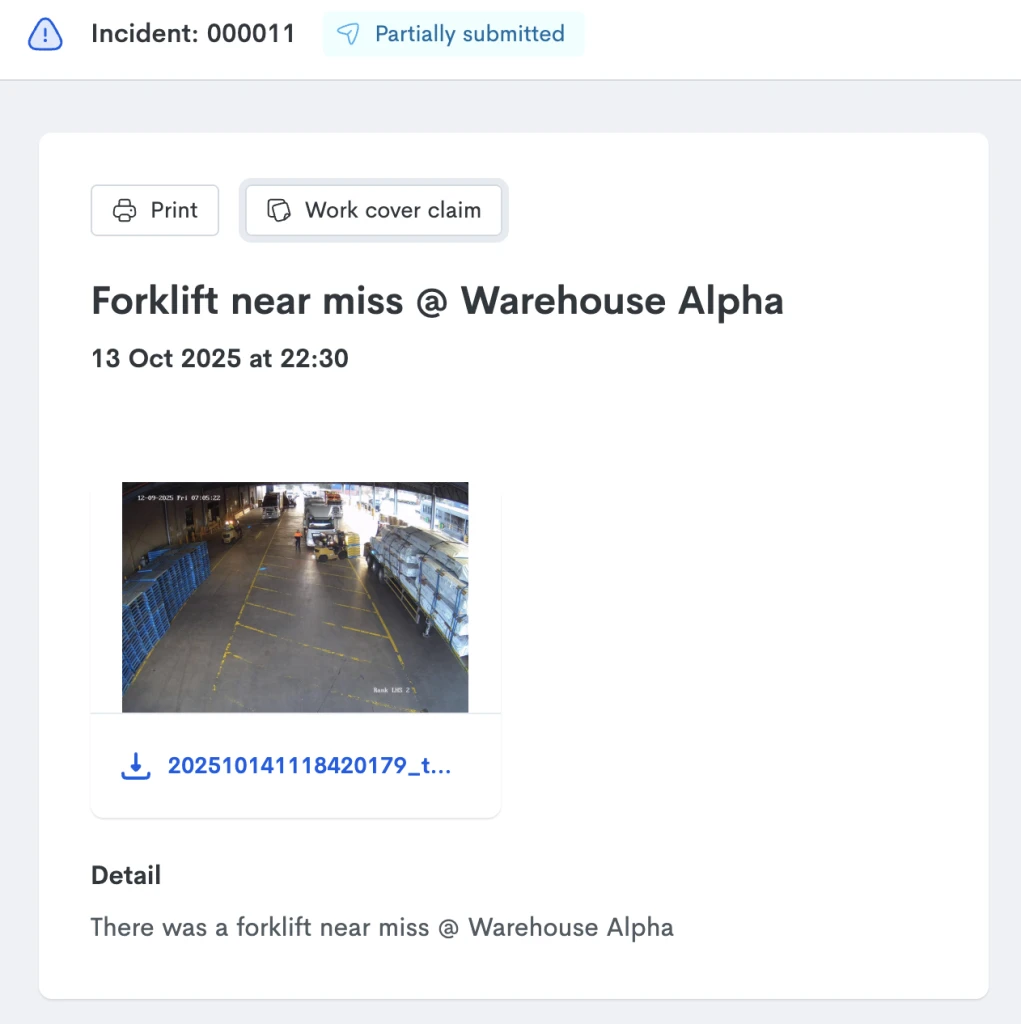
Incidents include a thumbnail of the event and its date and time, and are created with Partially Submitted status, allowing Administrators to add more information to the Incident Report before triggering an investigation.
Additionally, Administrators can play back the event in Rapid Monitor, export the video file, and review Safety Checks analytics for further insights.
Learn more about Rapid Monitor.
Permit To Work improvements
From creating permits to maintaining safety protocols, our Permit To Work solution helps Administrators and Contractors manage high-risk activities end-to-end.
Administrators can ensure permits are reviewed and approved by the necessary stakeholders before work commences, and that work undertaken is appropriately supervised. Contractors can easily select or submit permits, request site access and complete entry requirements via kiosks and QRs.
This period, we improved the way Work Orders and Jobs are handled on iPad kiosks, to offer customers one more platform option to manage this workflow. Workers can complete requirements on the kiosk (including exit questions) or choose to continue on their mobile device.
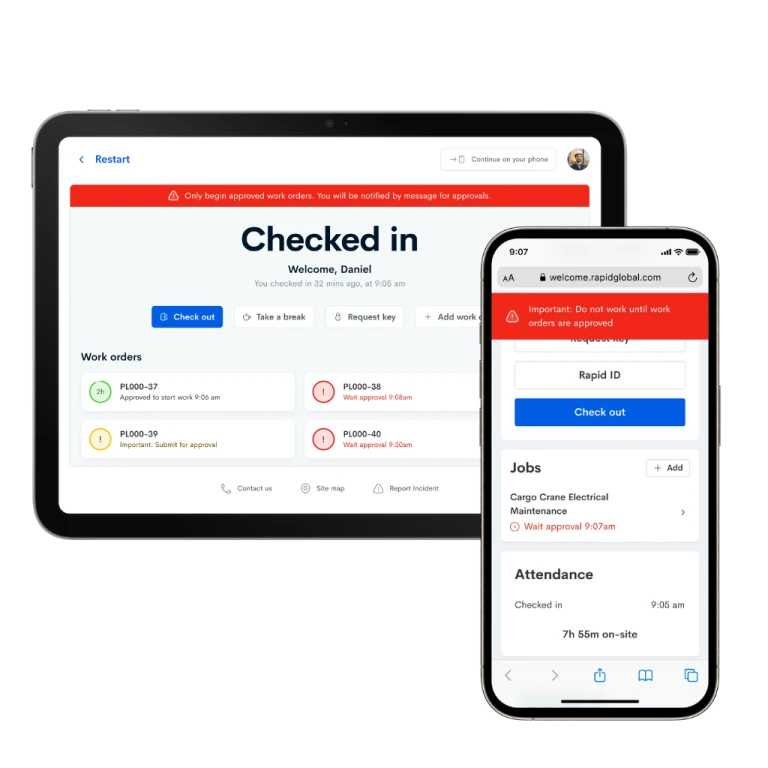
We’ve also updated the ‘Request to Perform Work’ email template, which is sent when Work Orders are created. The template can now be customized by Personnel Type, allowing for tailored instructions for different worker groups.
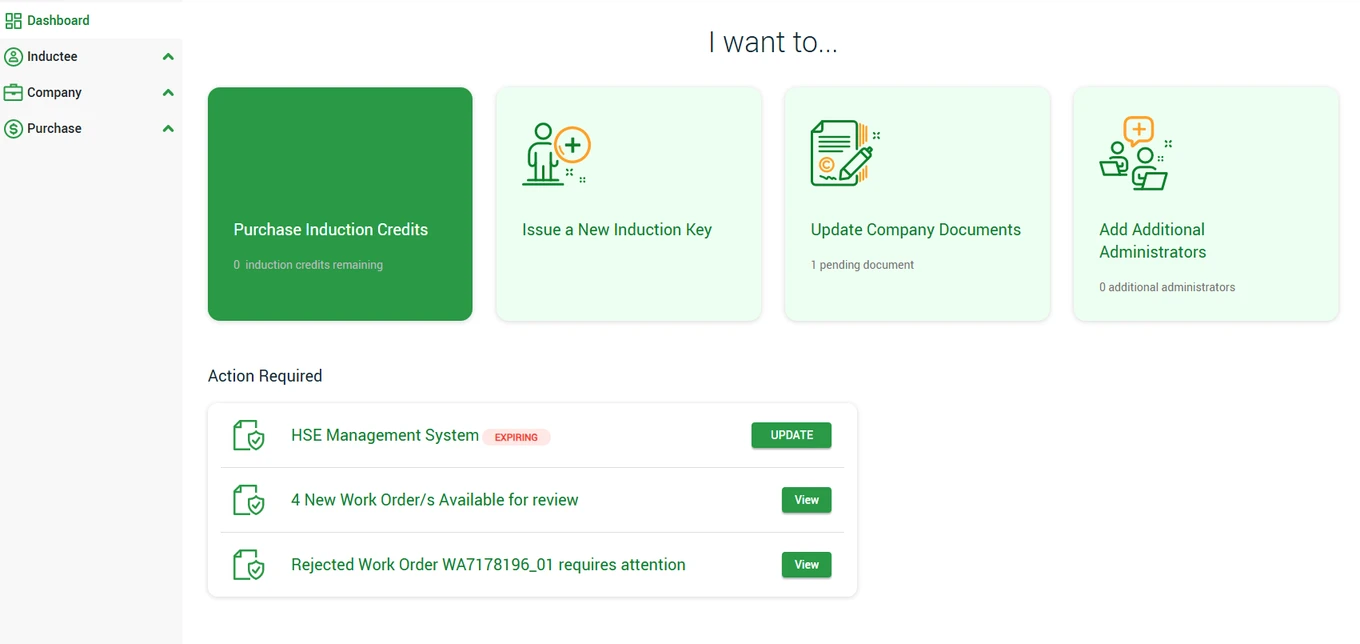
Notifications and updates related to Work Orders appear in the Actions Required Dashboard within the Contractor Portal, helping Contractor Administrators prevent missed deadlines or overlooked requirements.
Learn more about Permit To Work.
Overdue Course Status
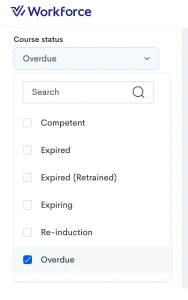
To help identify users who need additional time to complete their training, we’ve introduced a new
‘Overdue’ status in the Course Status filter. This feature makes it easy to track trainees whose course active periods have expired, allowing administrators to efficiently manage Active period extensions, ensuring learning compliance.
Learn more about Rapid Induct.
Bug fixes and performance improvements
Finding the right contractor for a job can be challenging. That’s why we built Contractor Search, allowing you to browse our database of registered workers for a head start. This period, we enhanced its performance and resolved several issues to make your search more efficient.
A big portion of our day to day involves handling files, which can often be challenging. This period, we fixed UI issues related to Primary Document uploads occurring within Contractor Registrations, improved the ability to upload multiple files to Trainee Documents, and fixed formatting issues with Rapid Induct’s certificate builder.
Reports transform complex data into clear, shareable documentation that stakeholders can act upon, whether in the boardroom or on the factory floor. This period, we fixed the filtered data export within the Contractor Manager dashboard, filtered PDF generation within Auditor, and extended the downloadable timeframe for scheduled reports to six months.
Subscribe to the monthly newsletter to receive the latest work health and safety information straight to your inbox.