When we said we were on a journey, we meant it: to accomplish tasks efficiently, software needs to be intuitive, easy to navigate, and visually appealing.
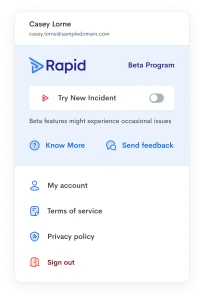
Today, we reach another milestone with the upgraded version of Rapid Incident Reporting now live for early access. Available through our Beta Program, client administrators can explore and interact with our newly redesigned user interface using a handy Product Switcher.
Why these changes matter
At Rapid, we understand that reliable incident reporting is essential for workplace safety compliance. This means keeping administrators, employees, contractors, and visitors at the forefront of our thoughts, to make incidents easy to report, straightforward to manage and simple to analyse.
In this release, we have rebuilt the foundations with an updated design, while preserving the workflows you already rely on, resulting in a faster and more intuitive experience. We also added Copilot, our AI assistant, ready to answer your pressing questions within the product.
And this is just the beginning, we’re working on new features, so stay tuned for updates in the coming months.
What’s changing
A streamlined Incidents list
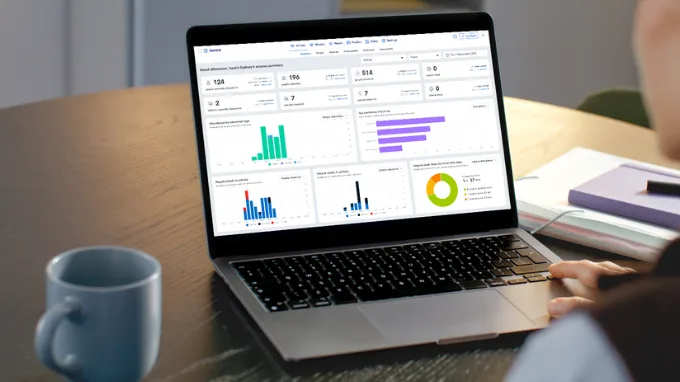
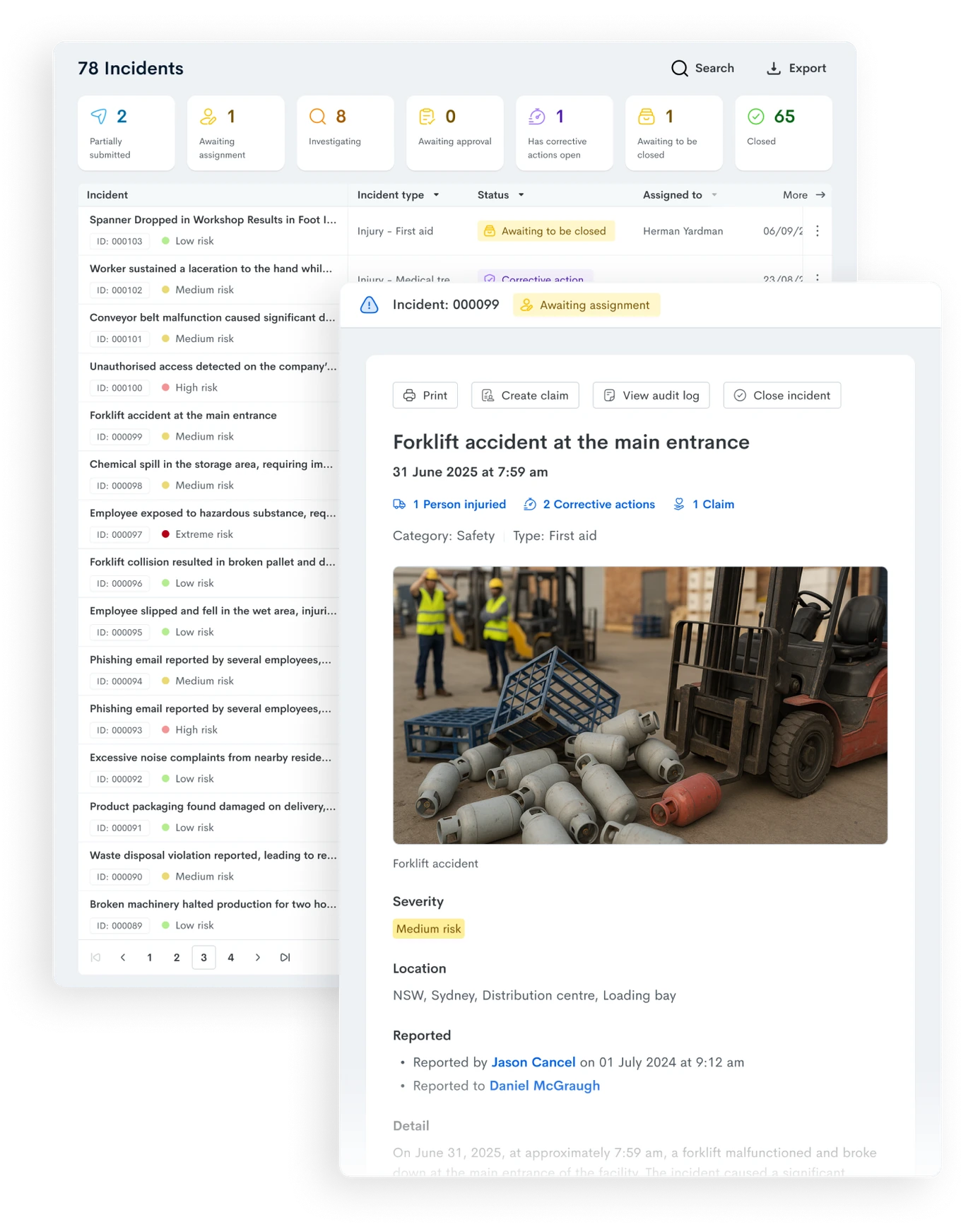
We renamed ‘Dashboard’ to ‘Incidents’ to better reflect this tab’s core purpose: providing a clear, chronological list of reports and their statuses. The list is now cleaner and flatter for better readability, making it easier to scan, filter, and navigate through multiple reports.
Each report row displays the number and progress of its Corrective Actions to keep track of follow-ups and ensure nothing falls through the cracks. Overdue investigation due dates are the only red highlight left on the page to draw attention. The list also includes a new square for Reports Awaiting Closure to aid with the final review process.
A new ‘Assigned To’ filter and column helps find reports based on people in the distribution list, while the ‘Assigned To Me’ checkbox turns the list into your personal to-do list with one click.
Up until now, if you needed to learn more about a report, you could click on a row to display limited details or open the report in a separate window. Now, clicking on a row opens the Incident Report in a side panel – no more losing your place in the list or switching between windows.
A clear path to raise incidents
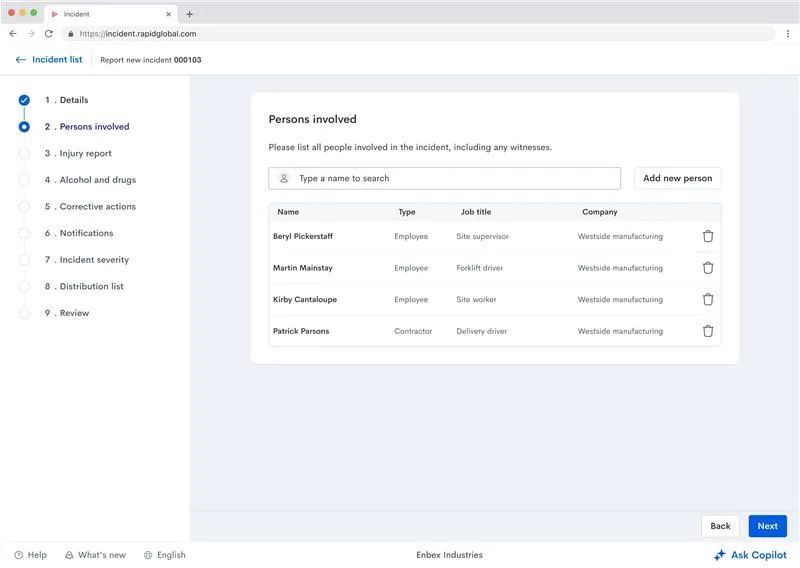
When reporting incidents, a new progress bar on the left shows the sections that need to be filled in, and allows for navigation between sections back and forth, reducing the need to scroll.
Your progress is saved as you move through sections, and the form adapts to your input. Additional sections, like the ‘Injury Report’, appear only when relevant, keeping the form clean and focused.
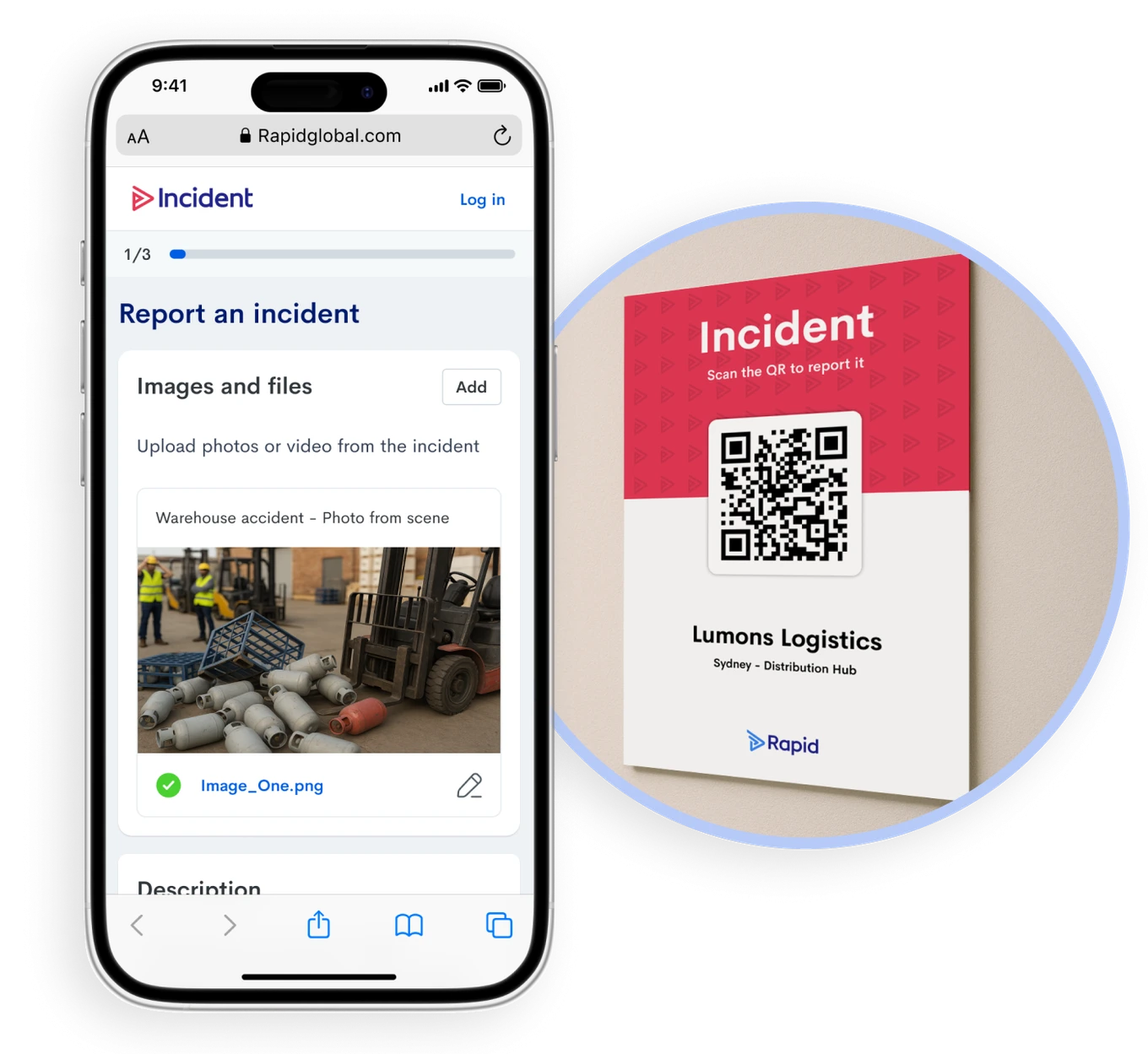
We’ve reorganised the layout too: essential details about what happened and where come first, followed by additional information in a logical sequence. Photos, videos and supporting files have a more prominent spot — simply click, drag, or scan a QR code.
One more note on this: your site’s unique QR code, which allows incidents to be reported by anyone that scans (even anonymously), is available to download from the Settings.
Dynamic Incident Reports
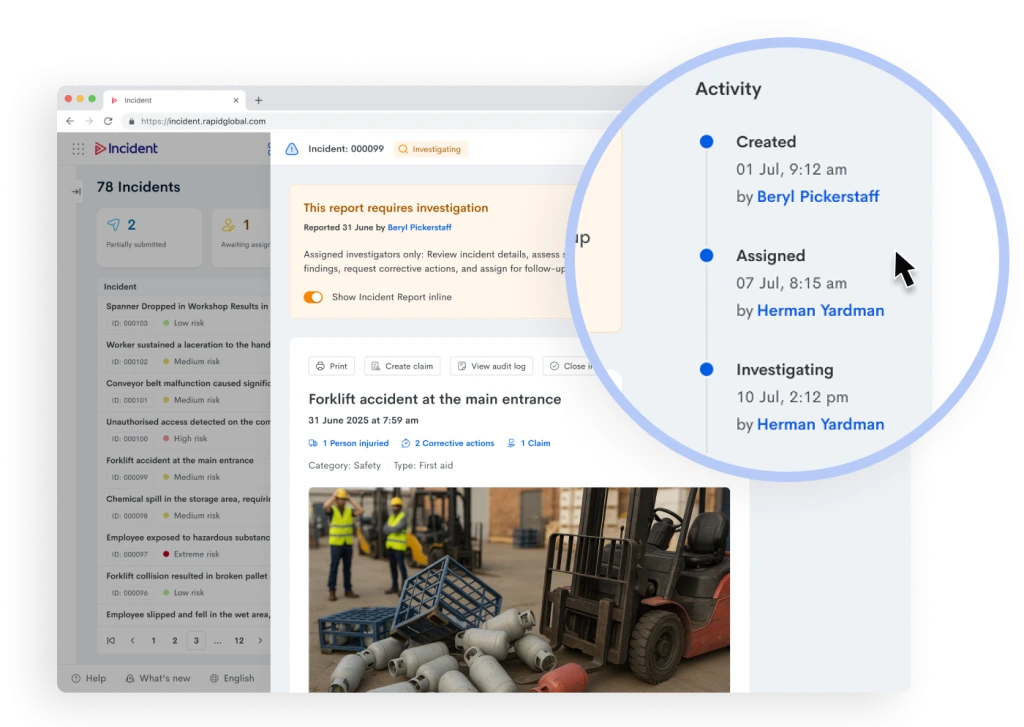
The Incident Report isn’t just in a new side panel – it’s been redesigned for interactivity, with key elements now clickable throughout.
Essential actions are now integrated directly into the report: print, create claims, or close reports without navigating elsewhere.
We’ve enhanced visibility of critical information: severity levels and statuses are displayed and colour-coded at the top, while quick-access shortcuts lead directly to Injured Person details and Corrective Actions (if any).
Like in Induct, Activity Logs appear on the right, highlighting important milestones and the user behind each of them for easy audit trails – and user details one click away.
Smarter Investigations
Instead of loading as a full page, Investigations now open in a side panel—saving you time and clicks. The original incident report remains visible inline for easy reference, and you can toggle this view on or off as needed.
We’ve used a distinct yellow background to clearly differentiate investigation content from the original report, helping you stay oriented. Like elsewhere in the system, Activity Logs appear on the right, keeping track of all investigation-related actions.
More visibility on Corrective Actions
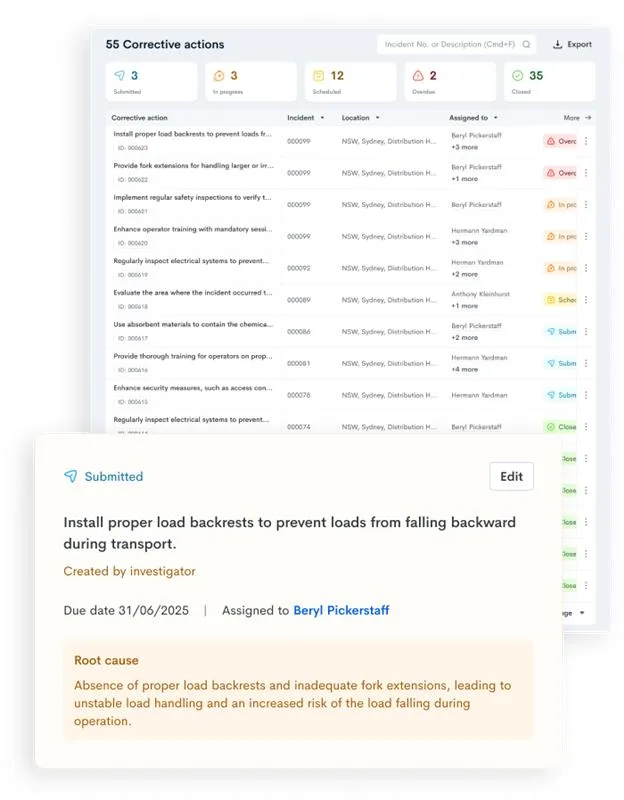
Actions’ statuses can be reviewed at a glance with colour-coded squares at the top of the list. New filters on the left, including Status and Assigned To, help you quickly find the actions that matter to you.
Each action now has its own ID for easier tracking and reporting. Managing actions is simpler too — a convenient menu lets you close actions, add progress notes, print details, or review audit logs.
Need more information? Click any action to open its details in a side panel, complete with Activity Logs tracking all changes and the users behind them.
Work in progress
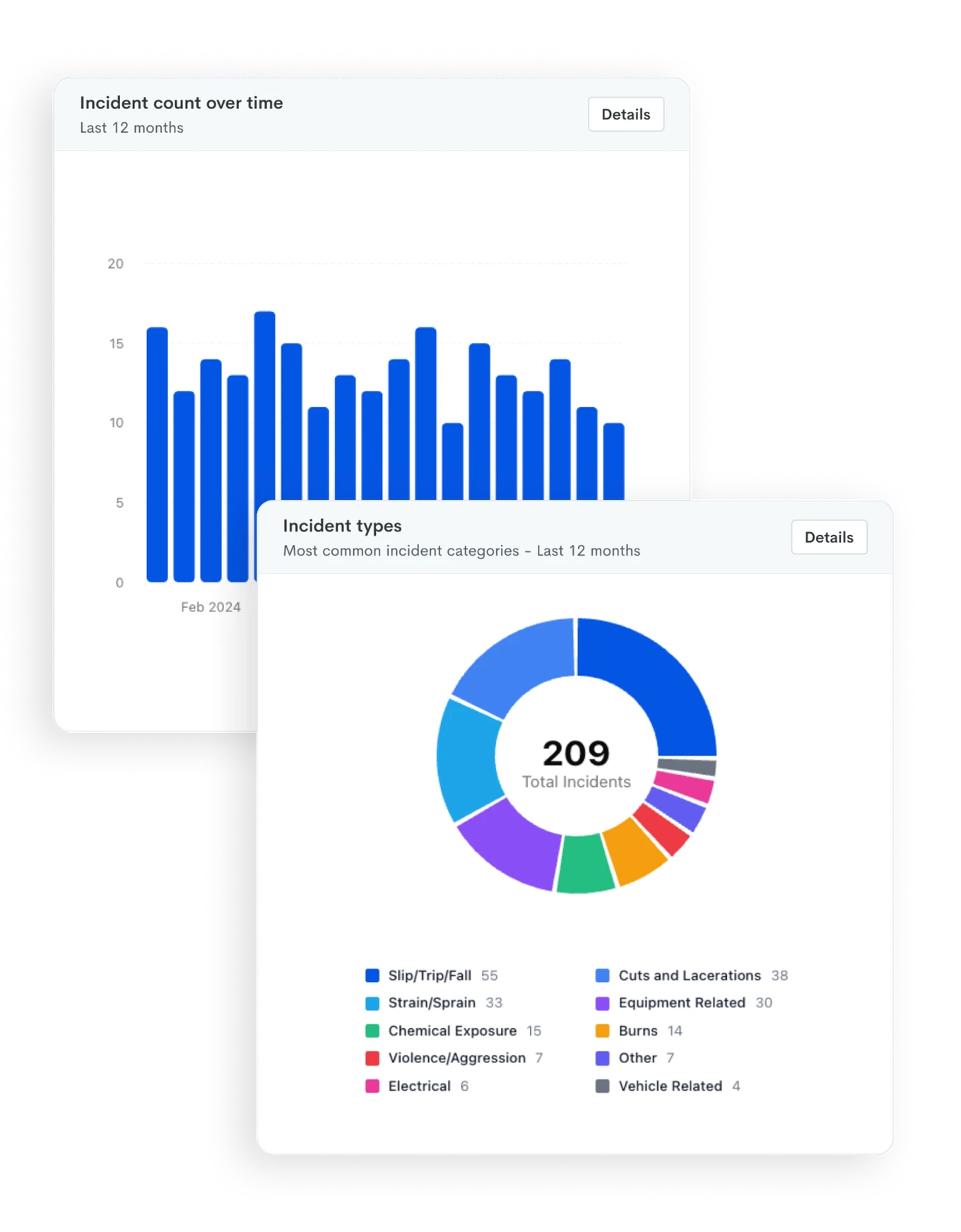
We’re bringing the visual power of Charts and the detailed insight of Reports together, giving you both crucial data and presentation-ready visualisations. Charts have a more modern look and are more interactive, and we’ve added more Report export options.
We’re finalising our work with Reports, so not all of the Reports you use regularly are available in the new UI yet. Keep an eye on our newsletter to stay up to date with the latest releases.
How to access the new features
From today onwards, all users will have a Product Switcher available in their account settings. The switcher is unique to each individual, so you can decide and plan how to rollout out the updates, at a pace that suits your team and business.
There is also a Send Feedback option to leave comments, suggestions and request adjustments – we want to hear from you!
Join us in shaping the future
We’re inviting you to join the Beta Program to experience these changes firsthand – your participation and feedback are crucial to us.
And while today’s release is a significant step for Incident Reporting, it’s just the beginning. Our upcoming features, including AI-powered search for nuanced queries, a new Incident Dashboard and the ability to create Incident Reports programmatically from hazards detected by Rapid Monitor, are coming soon.
This release was shaped by your feedback and partnership as we work together toward our shared goal: creating safer workplaces.
Subscribe to the monthly newsletter to receive the latest work health and safety information straight to your inbox.